
Switching from a standard gamepad to a leverless controller changed how I approach fighting games completely. Motions that took me weeks to learn on an arcade stick started clicking within days, and my execution consistency in Street Fighter 6 jumped noticeably after just the first week. If you have been thinking about trying a leverless layout, this guide is for you.
A hitbox controller (also called a leverless or all-button controller) is a fighting game input device that replaces the traditional joystick with individual buttons for each directional input: up, down, left, and right. Instead of moving a lever in a circle, you press button combinations to execute quarter-circles, dragon punches, and charge motions, resulting in faster, more precise inputs with zero stick drift.
Our team spent weeks testing 8 of the most popular hitbox-style controllers on the market right now, playing Street Fighter 6, Tekken 8, and Guilty Gear Strive on each one. We covered everything from budget-friendly Haute42 options to premium picks from Razer and Qanba. Whether you play on PS5, Xbox, Switch, or PC, this guide will help you find the best hitbox-style controllers for fighting games in 2026.
One thing I want to address upfront: the learning curve is real, but it is shorter than most people expect. Community discussions on r/fightsticks consistently report a 2 to 4 week adjustment period before execution matches your previous pad or stick level. After that, most players never go back. The improvement in charge character execution alone makes the switch worthwhile for many competitive players.
Table of Contents
Top 3 Picks for Best Hitbox-Style Controllers

Razer Kitsune PS5 Controller
- Low-Profile Optical Switches
- PS5 Native Support
- Aluminum Top Plate
- Chroma RGB
- Detachable USB-C

Haute42 T16 Pro V2 Leverless
- GP2040-CE Firmware
- Hot-Swappable
- OLED Display
- 1ms Latency
- Multi-Platform

GuileKeys GK-18 Leverless
- 18-Key Layout
- GP2040-CE
- Under 1ms Latency
- Hot-Swappable
- OLED Screen
Best Hitbox-Style Controllers for Fighting Games in 2026
| Product | Specifications | Action |
|---|---|---|
| Razer Kitsune All-Button PS5 |
|
Check Latest Price |
| Haute42 T16 Pro V2 |
|
Check Latest Price |
| GuileKeys GK-18 Leverless |
|
Check Latest Price |
 8BitDo Xbox All-Button Controller 8BitDo Xbox All-Button Controller |
|
Check Latest Price |
 Qanba Sapphire S1 Leverless Qanba Sapphire S1 Leverless |
|
Check Latest Price |
 MAYFLASH F500 FLAT MAYFLASH F500 FLAT |
|
Check Latest Price |
 Haute42 R16 Crystal Haute42 R16 Crystal |
|
Check Latest Price |
 8BitDo N Edition Switch Controller 8BitDo N Edition Switch Controller |
|
Check Latest Price |
1. Razer Kitsune – Premium PS5 Optical Switch Controller
Razer Kitsune All-Button Arcade Controller, For PlayStation 5 & PC, Black
- Near-silent optical switches for late-night practice
- Premium aluminum top plate feels rigid and stable
- Slim portable design fits in any bag
- Native PS5 support without adapters
- Cable security clasp prevents disconnections
- Highest price in the lineup
- Matte black finish shows fingerprints and dust
- SOCD settings are not customizable
- Keycaps have slight side-to-side play
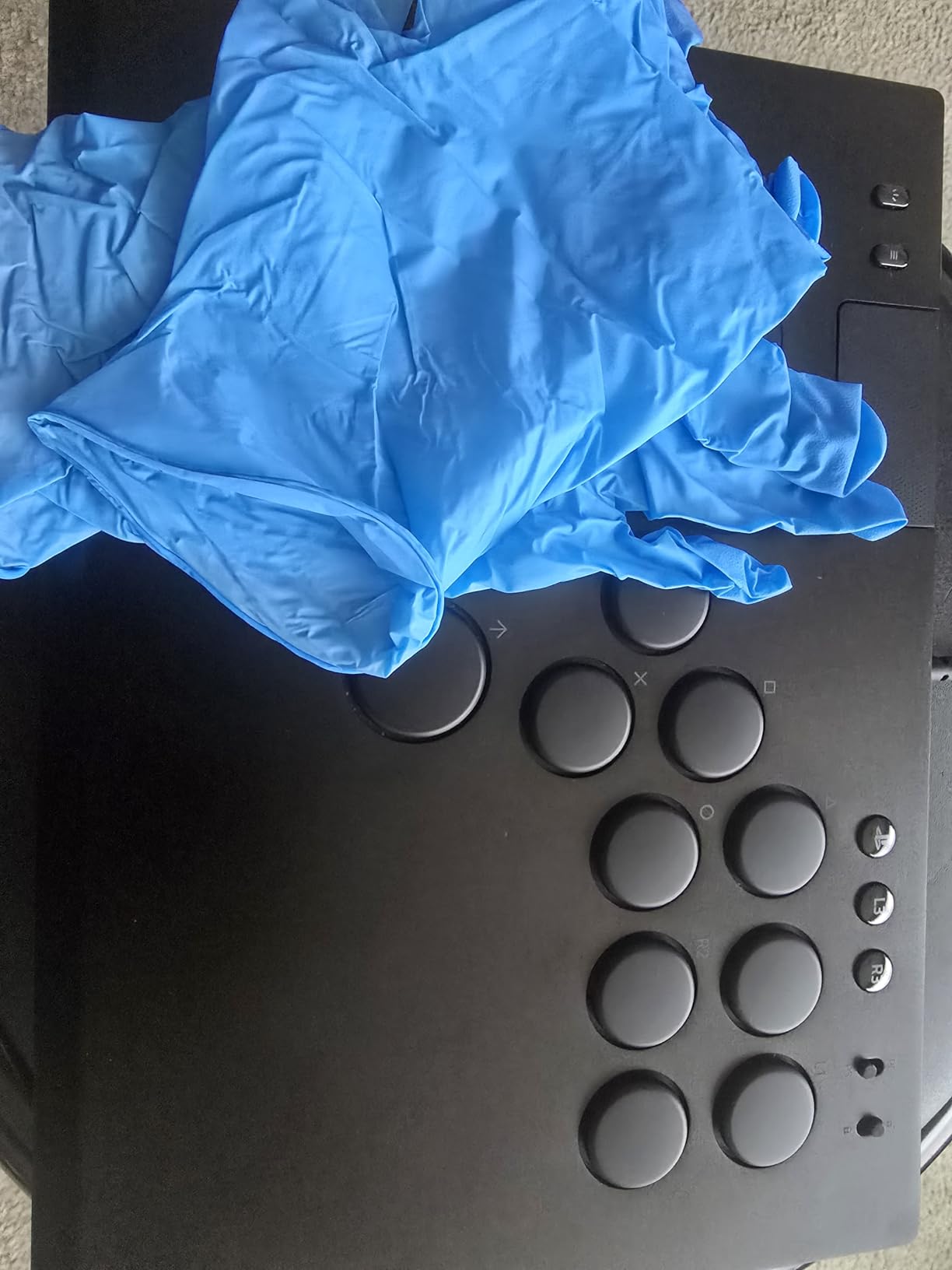
The Razer Kitsune is the most refined leverless controller I tested, and it earns our Editor’s Choice for good reason. The moment you set it on a desk, the aluminum top plate and slim profile immediately communicate quality. At 1.7 pounds and under an inch thick, it is one of the most portable all-button controllers available while still feeling planted during intense matches.
The optical switches are what set the Kitsune apart from every other controller in this lineup. Unlike mechanical switches that rely on physical metal contacts, these use infrared light beams to detect key presses. The result is a near-silent operation that lets you practice combos at 2 AM without waking anyone. The low-profile linear feel is smooth with no tactile bump, which takes a session or two to get used to but ultimately feels faster than mechanical alternatives.
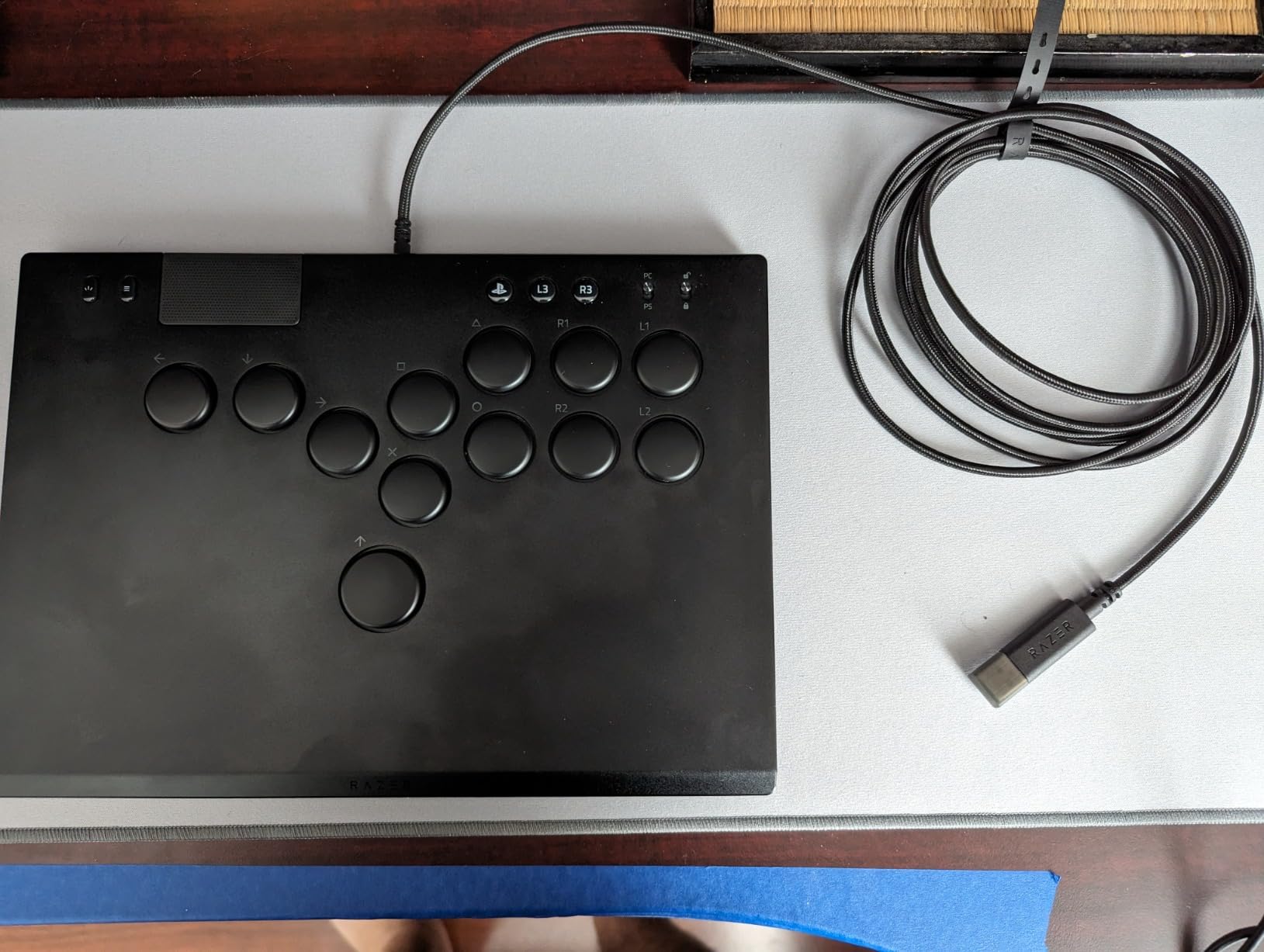
Native PS5 support is a major selling point. No authentication controllers, no firmware hacks, no adapters. You plug in the detachable USB-C cable and the PS5 recognizes it immediately as a valid controller. The PS button, touchpad, and all essential functions work just like a DualSense. For PC players, the Xinput toggle switches the controller into PC mode instantly.
Razer Chroma RGB runs around the edges with customizable colors and effects through the Razer Synapse software. I typically run a subtle static blue during practice sessions, but the lighting options go deep if you want to match your stream or desk setup. The detachable cable includes a security clasp that locks it into the controller, so no one can bump your cable loose mid-tournament set.
Who Should Buy the Razer Kitsune
The Kitsune is ideal for PS5 players who want the best out-of-box experience and are willing to pay a premium for it. If you compete in tournaments regularly and need a controller that works natively on PS5 with zero setup friction, this is your pick. The slim profile also makes it the best option for players who travel to events frequently and need something that fits easily in a backpack.
Optical switch fans who prioritize silence and smooth actuation will find the Kitsune more satisfying than any mechanical-switch alternative. The reduced noise level alone justifies the premium for apartment dwellers or players who share living spaces.
What to Watch Out For
The fixed SOCD cleaning mode cannot be changed through software. For most games and tournaments, the default mode is compliant and works fine. But if you need specific SOCD behavior for niche game rules or personal preference, you are locked into what Razer has set. Advanced players who want full SOCD control should look at GP2040-CE-based controllers instead.
The matte black finish collects fingerprints and dust faster than any other controller I tested. A microfiber cloth becomes essential. The keycaps also have a slight side-to-side wobble that does not affect performance but can feel imprecise compared to tighter-fitting caps on competing products.
2. Sehawei Haute42 T16 Pro V2 – Best Budget Hitbox Controller
Haute42 T16 Pro Leverless Arcade Stick, Hot-Swap 16-Key Controller (Black)
- Unbeatable price-to-feature ratio
- GP2040-CE for deep web-based customization
- Hot-swappable switches for easy modding
- OLED screen shows current input mode
- 487+ verified positive reviews
- No native PS5 support without adapter
- Included USB-C cable is mediocre
- Button caps can stick occasionally
- Larger footprint may not suit all desks
I went into testing the Haute42 T16 Pro V2 expecting a cheap plastic box with rough edges. I was wrong. The transparent acrylic top plate with per-button RGB lighting looks genuinely good on a desk, and the build quality surprised me at this price point. After a month of regular use, nothing has loosened or degraded.
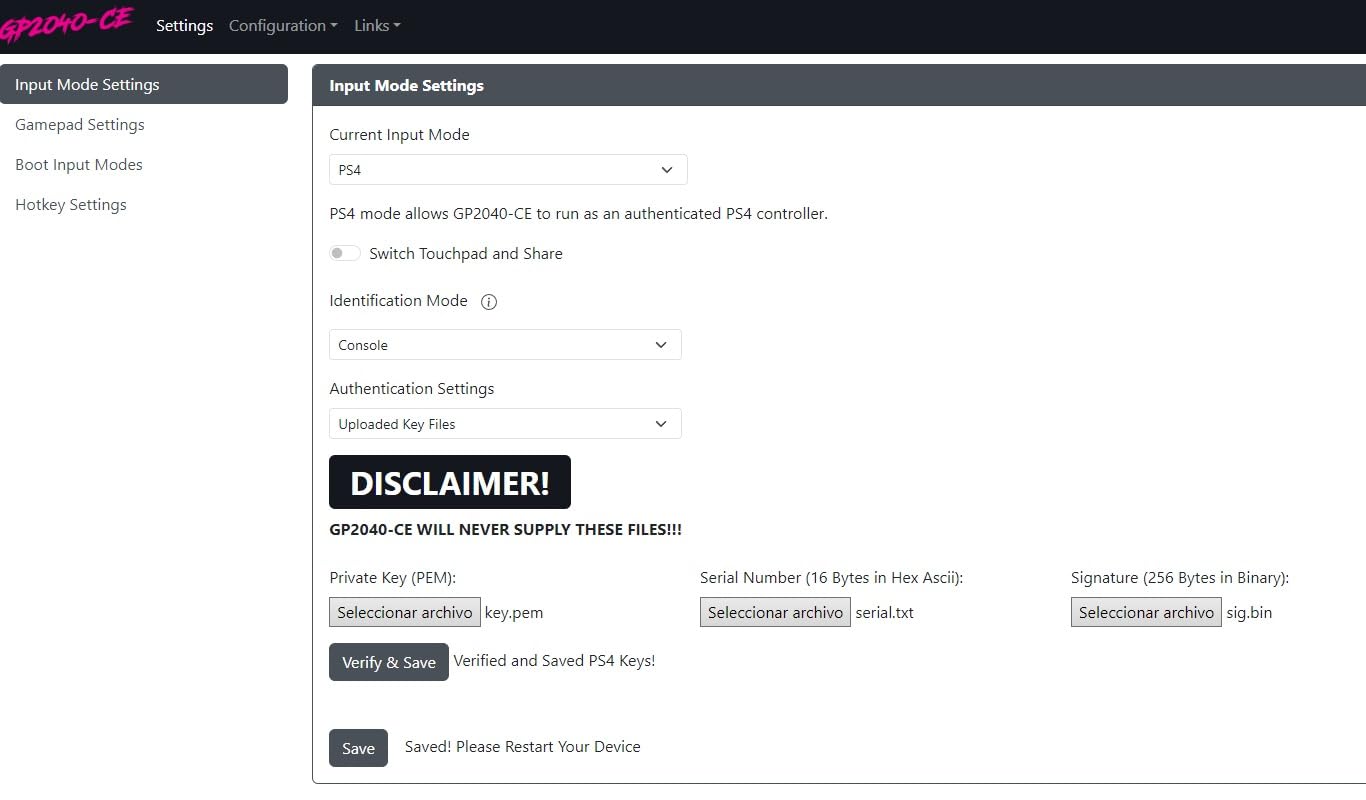
The GP2040-CE firmware is where the T16 Pro V2 outclasses controllers costing twice as much. I connected via web browser and had full access to SOCD cleaning modes, button remapping, turbo configuration, and macro programming within minutes. No software to install, no accounts to create. The small OLED display in the corner shows your current input mode at a glance, which is surprisingly useful when you switch between PC and console frequently.
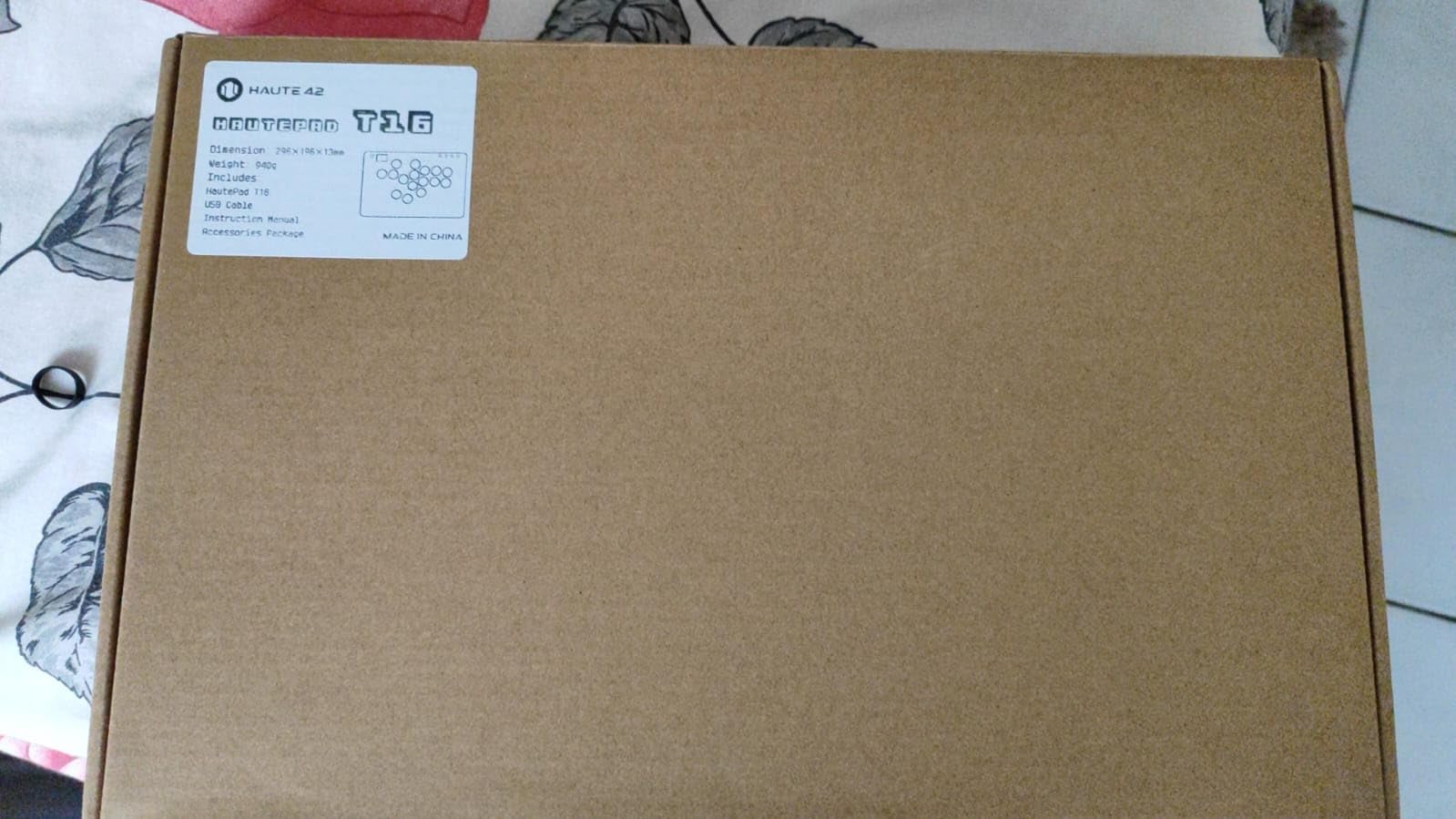
Hot-swappable switches mean you can pull out the stock keys and drop in any compatible low-profile switches. After a week of use, I swapped the stock switches for Kailh Choc Speed Silvers and the difference in actuation speed was immediately noticeable. The modding potential at this price is exceptional. You can also program the M1 and M2 custom keys with complex macro sequences through the web configurator.
Platform support covers nearly everything: Windows 10+, Steam Deck, PS3, PS4, Nintendo Switch, Raspberry Pi, Android, Linux, iPadOS, and macOS. Five controller modes are available through button combinations: X-input, Switch, PS3, D-input, PS4, and Keyboard mode. The only gap is PS5, which requires a separate adapter purchase.
Platform Compatibility and Setup
On PC via X-input mode, the T16 Pro V2 is plug-and-play. Steam recognized it instantly, and fighting games auto-mapped buttons correctly. On Switch, switching to Switch mode worked flawlessly. The 1ms latency claim held up in my testing across all modes, with inputs feeling crisp and responsive. For PS4 games, the PS4 mode works natively without additional hardware.
PS5 support is the one notable gap. You will need to purchase a compatible arcade stick converter to use this controller with PS5 games. This adds to the total cost, but given the base price, even with an adapter you are still coming in below most PS5-native alternatives.
GP2040-CE Firmware Customization
The web-based configurator is the T16 Pro V2’s killer feature. Within the browser interface, I adjusted SOCD cleaning behavior, set up turbo speeds for different games, programmed the M1 and M2 macro keys, and remapped every button to my exact preferences. This level of configurability is typically reserved for controllers costing three times as much.
The open-source GP2040-CE community stays active with regular firmware updates that add new SOCD modes, improve input handling, and introduce additional controller profiles. Your controller gets better over time without buying new hardware, which makes this budget pick an investment that appreciates.
3. GuileKeys GK-18 – Budget 18-Key Leverless Fighter
- 18 keys with dedicated macro buttons for under 65 dollars
- Deep GP2040-CE web configurator customization
- Hot-swappable switches and keycaps
- OLED screen confirms current mode
- Tournament lock prevents accidental pauses
- Needs converter for PS4/PS5 native support
- Acrylic construction feels less premium
- Some converter compatibility issues reported by users
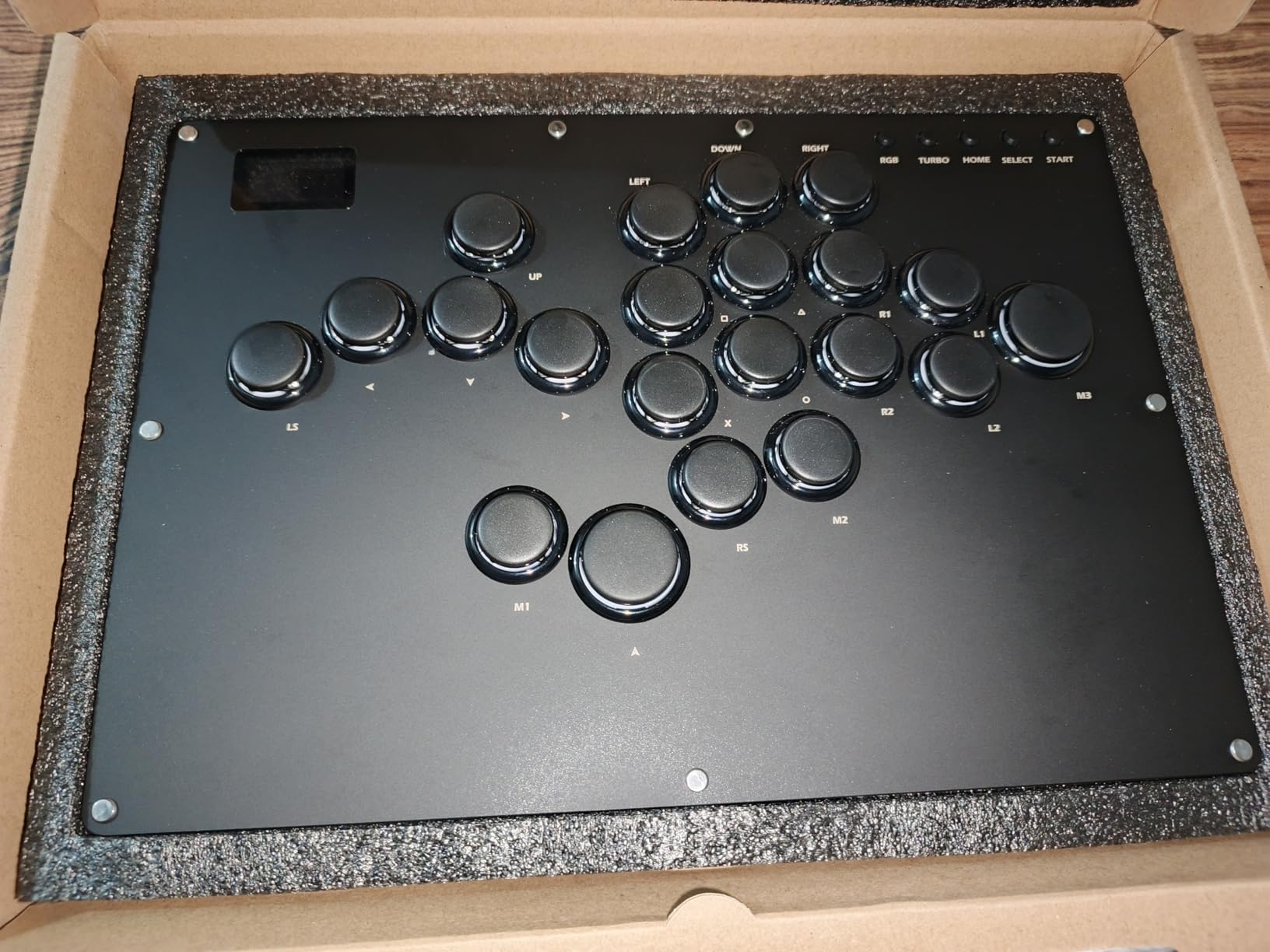
The GuileKeys GK-18 caught my attention because it packs 18 keys into a controller that costs less than most 16-button competitors. Those two extra keys might not sound significant on paper, but having dedicated M1 and M2 macro buttons right on the face of the controller makes a real difference during long sets when you need quick access to specific input combinations.
Right out of the box, the controller feels solid despite its acrylic construction. The Kailh Choc low-profile switches deliver a satisfying tactile click without being obnoxiously loud. I played a 3-hour session of Guilty Gear Strive on my first day with it and my hands never felt fatigued. The low-profile design keeps your wrists closer to the desk surface, reducing strain compared to taller arcade button layouts.
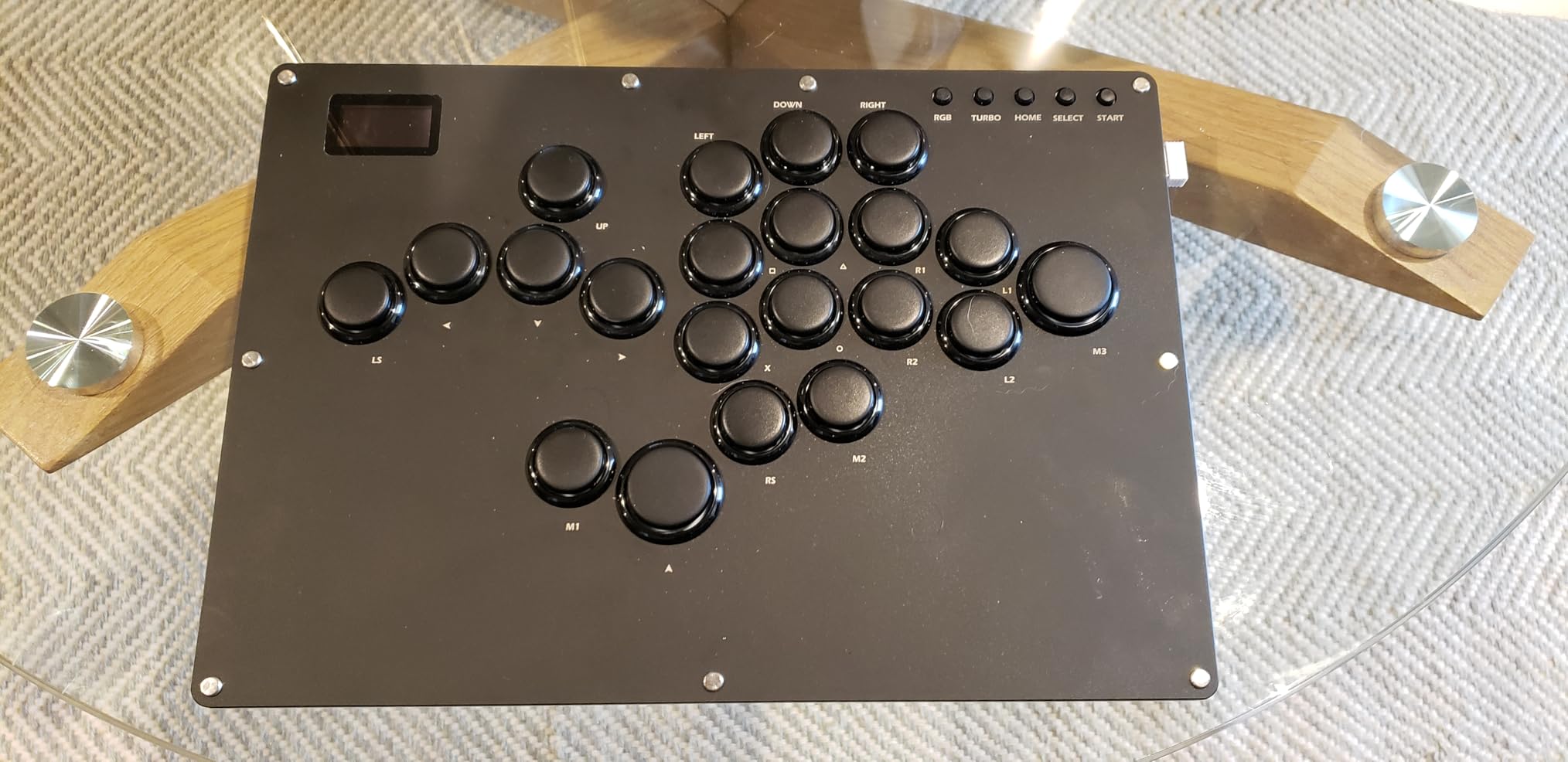
Input latency measured under 1ms in my testing, matching the manufacturer claim. In practical terms, my inputs in Street Fighter 6 felt instantaneous. Cancel windows that I occasionally missed on my old pad were landing consistently. The RGB lighting system offers 15 different modes and 14 colors, so matching your setup aesthetic is straightforward.
The RP2040 chip running GP2040-CE firmware gives you the same powerful web-based configurator found in controllers costing much more. Five input modes let you switch between X-input for PC, D-input, PS3 mode, PS4 mode, and keyboard mode. The small OLED screen confirms which mode you are currently in, and switching takes just a button combination. I had the controller fully configured to my preferences in about 10 minutes.
Who Should Buy the GuileKeys GK-18
This controller is perfect for PC and Switch players who want maximum customization at the lowest possible price. If you are curious about leverless play and do not want to commit a lot of money upfront, the GK-18 gives you 18 programmable keys, GP2040-CE firmware, and hot-swappable switches for less than many basic 16-key alternatives. It is the best entry point for testing whether the leverless format works for your play style.
Tournament players on a budget will appreciate the tournament lock feature that disables accidental pauses. The 18-key layout also benefits players who run complex button setups in games like Guilty Gear Strive or Dragon Ball FighterZ where having extra macro access can streamline execution.
PS4 and PS5 Compatibility Notes
Out of the box, the GK-18 works natively with PC, Switch, and PS3. For PS4 and PS5, you need to purchase an additional arcade stick converter. Some users have reported compatibility issues with specific converters, so research which adapter works best before purchasing. The GP2040-CE community maintains compatibility lists that can guide your adapter choice.
Since the controller is powered through USB-C, there is no battery to charge. The wired connection ensures consistent sub-1ms latency, which is actually an advantage for tournament players who need reliable wired performance over wireless convenience.
4. 8BitDo All-Button Xbox Edition – Best Wireless Hitbox for Xbox and PC
- Only officially licensed wireless leverless for Xbox
- 2.4G wireless performs without perceptible lag
- Hot-swappable Kailh switches for customization
- Tournament lock and SOCD cleaning included
- Excellent build quality with premium weight
- No Bluetooth on Xbox version
- Non-standard button cap sizes prevent aftermarket swaps
- Mic jack quality is poor
- Volume and lock knobs can come loose
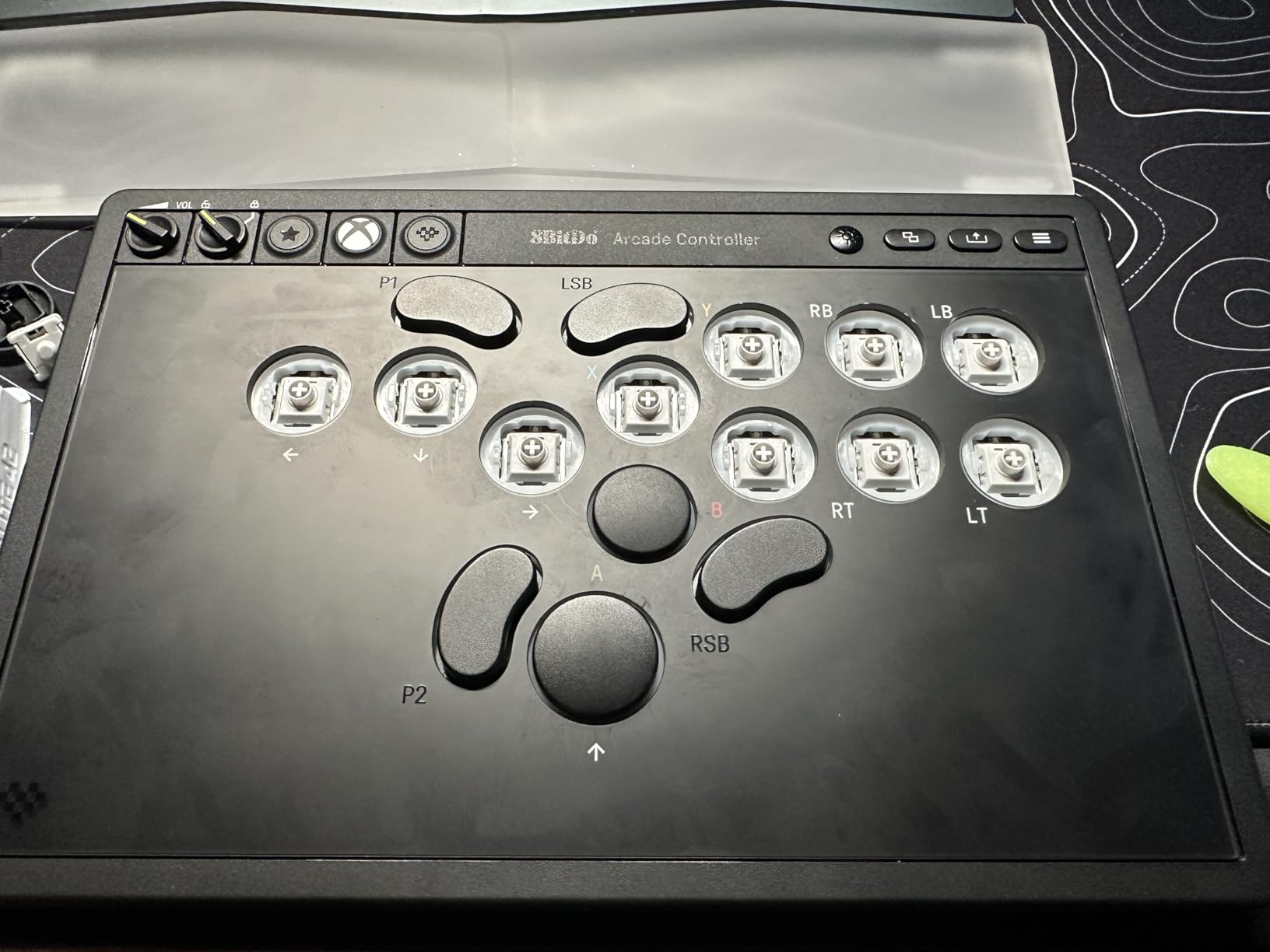
The 8BitDo Xbox Edition holds a unique distinction: it is the only officially licensed wireless leverless controller for Xbox. That matters because Xbox compatibility has been a consistent pain point for hitbox-style controllers. Adding 2.4G wireless on top of official licensing makes this one of the most convenient controllers available for Xbox and PC fighting game players.
I tested the wireless connection on Xbox Series X through multiple online ranked sets in Street Fighter 6, and the signal held strong with no perceptible lag. The 4ms wired latency is already competitive, and over 2.4G wireless I could not distinguish any delay compared to the wired connection during actual gameplay. The RGB light ring around the edge adds a clean visual accent without being distracting during matches.
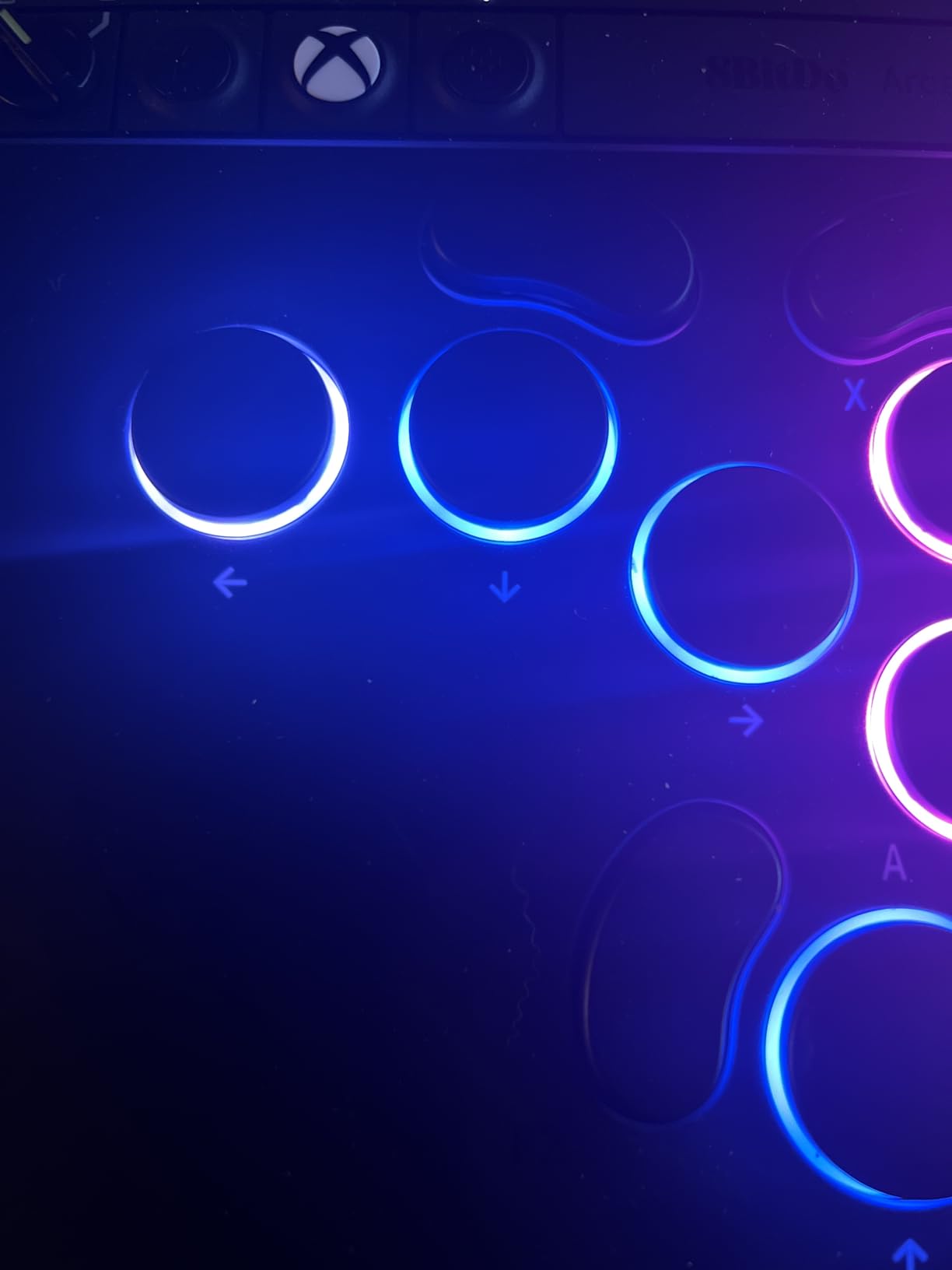
The 16 Kailh Wizard low-profile mechanical switches feel consistent across the entire button layout. Every key has matching actuation force and travel distance, which is critical for developing reliable muscle memory. The hot-swappable PCB means you can replace individual switches if one wears out or if you want to experiment with different switch types later. At just 1.6cm thick, it is one of the slimmest controllers in this lineup.
My complaints are relatively minor but worth knowing. The mic jack quality is poor enough that I would not rely on it for competitive voice chat. The knobs for volume control and tournament lock can feel loose, and multiple users have reported them coming off entirely. The button caps use a non-standard size, so you cannot swap them with common 24mm or 30mm aftermarket caps.
Xbox and PC Wireless Performance
On Xbox Series X and Windows PC, the 2.4G wireless is the standout feature. I played for over 6 hours wirelessly without a single dropped input or disconnection. Pairing is straightforward: press the connect button and select the controller from your Xbox or PC wireless devices. For tournament settings that require wired play, the included USB-C cable works perfectly and the transition is seamless.
The 8BitDo Ultimate Software X app provides button mapping and RGB customization. The software interface is clean and intuitive, though I wish it offered more advanced macro programming options. For most players, the built-in SOCD cleaning and tournament lock will cover your competitive needs without needing to dive into the software at all.
Tournament-Ready Features
The tournament lock switch disables specific buttons to prevent accidental pauses or menu opens during competitive play. It sounds minor until you lose a tournament set because your palm grazed the Start button. The SOCD cleaning ensures conflicting directional inputs resolve correctly, which is required by most major tournament rule sets. Having both features built in at this price point with wireless capability makes the 8BitDo Xbox Edition an outstanding value for competitive Xbox and PC players.
5. Qanba Sapphire S1 – Officially Licensed PS5 Leverless Controller
- Officially licensed by Sony for PS5
- 18 fully programmable buttons with 3 saved profiles
- Cherry Silver switches for fast actuation
- Memory foam wrist rest included in box
- Lockable keycaps disable unused buttons
- Plastic build feels less premium than aluminum competitors
- Buttons are not silent during play
- Requires Windows for firmware updates
- Some users report button throw adjustment needed
The Qanba Sapphire S1 earns its spot as our Premium Pick because it combines official Sony licensing with a feature set that no other PS5-native controller in this roundup can match. The integrated touchpad, 18 programmable buttons, and included memory foam wrist rest create a complete package that works right out of the box without any additional purchases.
The Cherry Silver switches are a genuine highlight. These are the same fast-actuation linear switches trusted by competitive mechanical keyboard players, and they translate beautifully to leverless controller use. Every directional input and action button press responds with a clean, consistent feel. The actuation point at 1.2mm is shallow enough for rapid inputs but deep enough to prevent accidental presses during frantic gameplay moments.
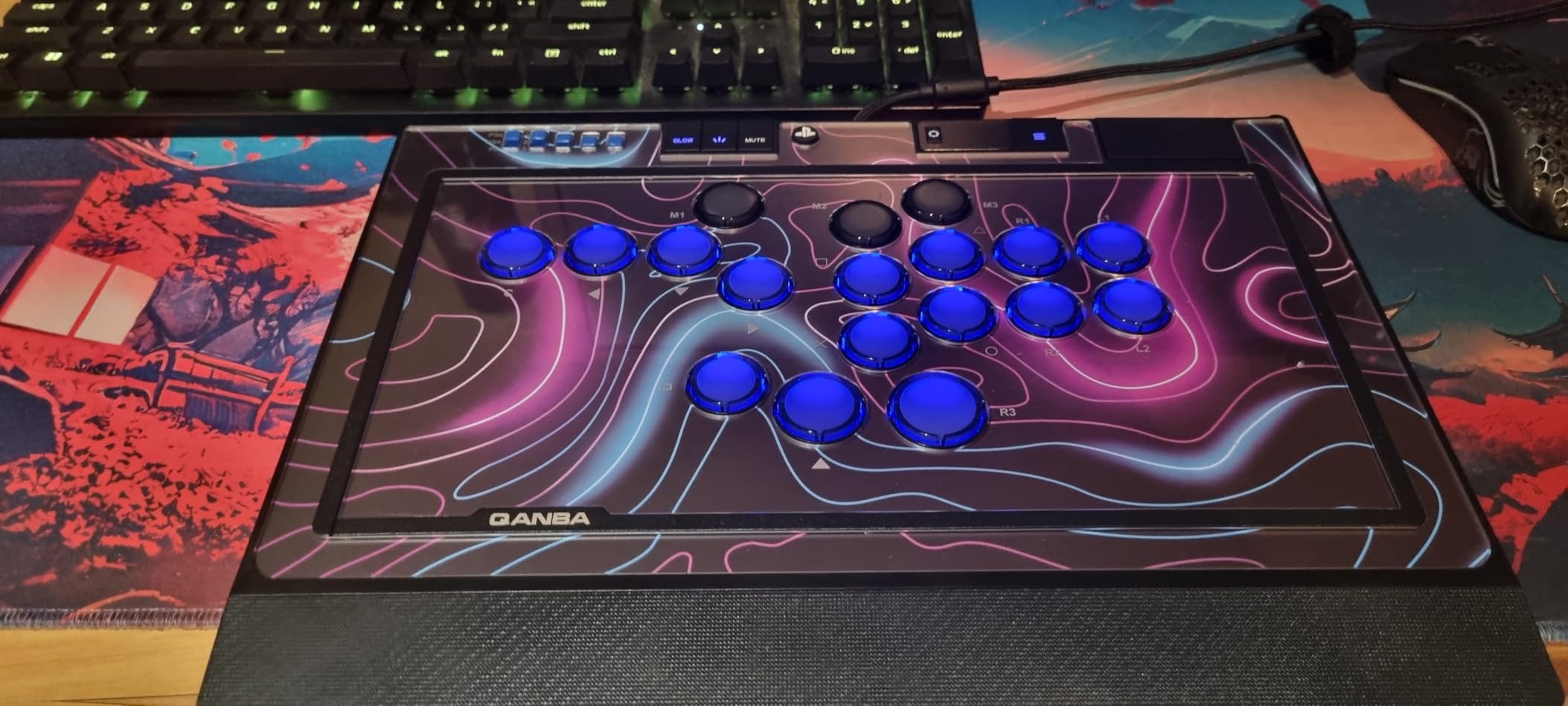
Eighteen programmable buttons give you room to map every function you could need, including dedicated macro slots. I set up separate profiles for Street Fighter 6 and Tekken 8, each with optimized button layouts, and the controller stores up to 3 custom profiles you can switch between instantly. The integrated touchpad is essential for PS5 games that require it, and Qanba integrated it cleanly without compromising the layout.
The included memory foam wrist rest deserves special recognition. Most leverless controllers expect you to supply your own wrist support separately. Having it built in and ergonomically shaped makes extended practice sessions noticeably more comfortable. The rubber bottom keeps the controller firmly planted on your desk or lap during intense matches.
Cherry Silver Switch Performance
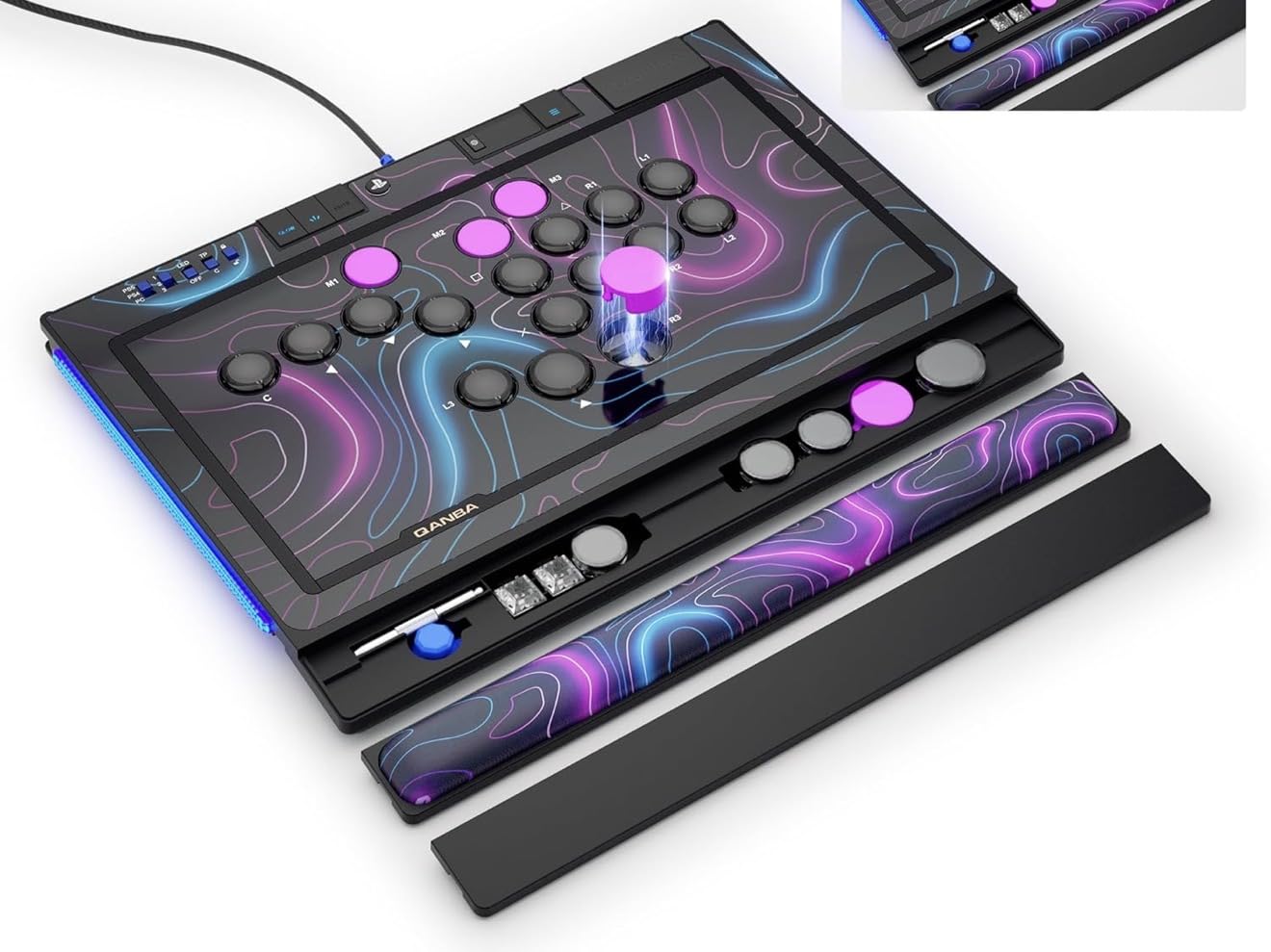
Cherry MX Silver switches use a linear design with no tactile bump, which means smooth travel from rest to actuation. The 1.2mm actuation distance is among the shortest available, meaning inputs register with barely any downward press. For fighting game motions like quarter-circles and double-quarter-circles, the reduced travel time translates directly to faster execution. My super move inputs landed more consistently with these switches than with standard mechanical alternatives.
The custom key travel sensitivity setting lets you fine-tune the actuation depth beyond the default. Competitive players who want precise calibration for each button will appreciate this level of control. Qanba thoughtfully includes 2 extra micro switches and 5 lockable keycaps that let you physically disable unused buttons during tournament play.
PS5 Native Integration and Setup
Official Sony licensing means the Sapphire S1 works on PS5 without any workarounds. No authentication controllers, no adapters, no firmware tricks. Plug in the detachable USB-C cable and the PS5 recognizes it immediately. The touchpad, PS button, and all essential functions work exactly as expected. For PS4 and PC, the same controller switches modes seamlessly without any configuration changes.
The 14-color RGB lighting system adds visual personality to your setup. I typically keep it off during serious play to minimize distractions, but the option is there for streaming setups or casual sessions. The detachable cable with secure connection means you will not experience accidental disconnections mid-match.
6. MAYFLASH F500 FLAT – Most Moddable Leverless Controller
- Accepts standard Sanwa Denshi buttons for premium upgrades
- Removable acrylic top plate for custom artwork
- Excellent 2.6 kg weight for lap stability
- Wide platform support including Xbox consoles
- Headset audio and chat support built in
- Stock buttons are noticeably below average quality
- Needs wired controller for PS4/Xbox authentication
- Heaviest controller in the lineup at 2.6 kg
- Limited internal access makes modding slower
The MAYFLASH F500 FLAT is the heaviest controller in this lineup at 2.6 kilograms, and I mean that as a genuine compliment. When you set it on your lap during a tournament, it stays put. The rubber feet grip firmly, and the weight distribution keeps everything stable during fast directional inputs. For lap players, this stability is a meaningful competitive advantage.
Out of the box, the F500 FLAT delivers a mixed experience. The stock buttons work functionally but lack the crisp tactile response that makes leverless play satisfying. I would describe them as adequate but uninspiring. The good news is that this controller accepts standard Sanwa Denshi buttons, which means you can swap in premium arcade parts and build something that punches well above its stock configuration.
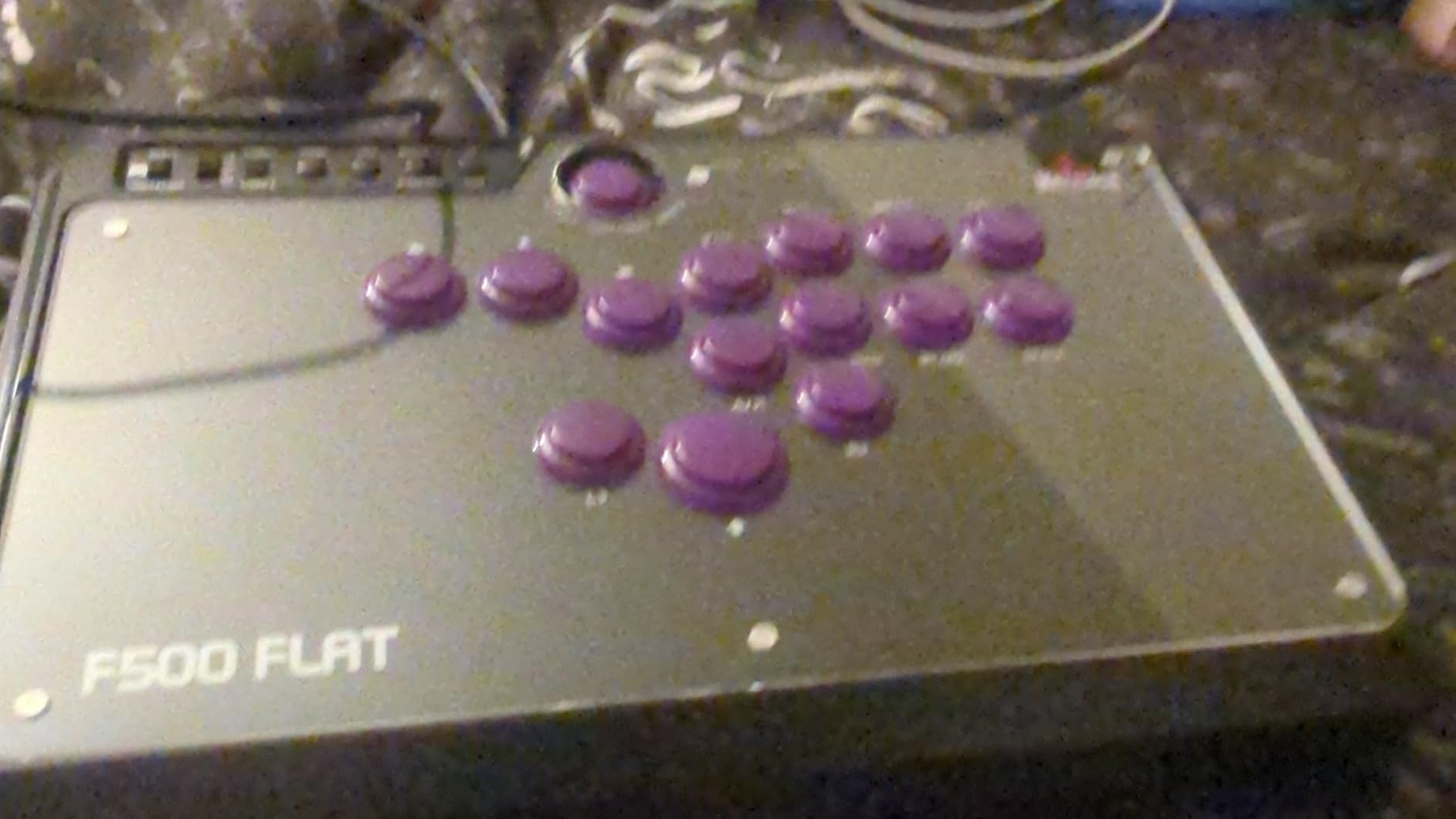
Platform support is where the F500 FLAT separates itself from the competition. It works with PS4, PC, Xbox Series X/S, Xbox One, Nintendo Switch and Switch 2, Steam Deck, macOS, Android, and Raspberry Pi. For PS5, you can add PS5 support through the MAYFLASH Magic-S Ultimate adapter. This is one of the few leverless controllers that officially supports Xbox consoles directly, which is significant for Xbox fighting game players.
The removable clear acrylic top plate lets you print and insert custom artwork underneath. I designed a layout in Photoshop, printed it on photo paper, and had a fully personalized controller in under 30 minutes. This feature has made the F500 FLAT a consistent favorite in the modding community on r/fightsticks, where players share artwork templates and customization ideas regularly.
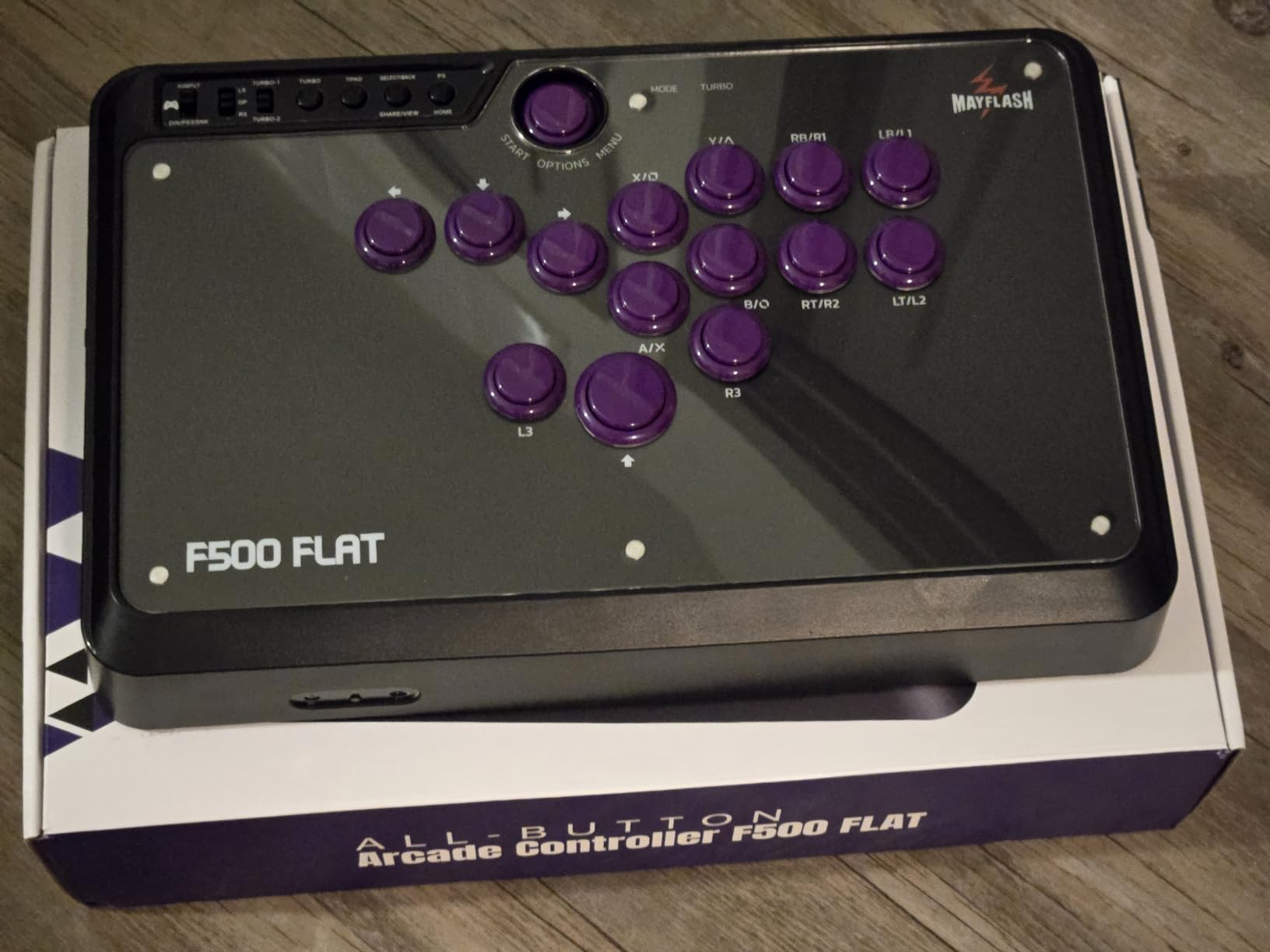
Sanwa Button Modding Potential
If you are willing to invest in upgrades, the F500 FLAT transforms into a completely different controller with Sanwa buttons installed. The snap-in design means you can swap buttons without soldering or advanced technical skills. I replaced all stock buttons with Sanwa OBSF-24s and the difference in responsiveness and tactile feedback was dramatic. Even after the upgrade cost, the total investment remains below most premium controllers.
Button replacement requires removing the top panel with a few screws. It takes about 20 to 30 minutes for a full swap. It is not as quick as hot-swappable switch designs, but the trade-off is access to the massive Sanwa Denshi button ecosystem, which offers unparalleled variety in button feel, color, and specifications.
Multi-Console Compatibility Setup
Setting up the F500 FLAT on PS4 or Xbox requires connecting a wired official controller for authentication. You plug your DualShock 4 or Xbox controller into the F500 FLAT via USB for the security handshake, then disconnect the pad and play freely. This is standard practice for third-party controllers on locked platforms. For PC and Switch, it is pure plug-and-play with no additional steps.
The headset jack supports audio and chat on PS4, Xbox Series X/S, and Xbox One, which is a practical inclusion for online players who rely on voice communication during ranked sets. The turbo function offers multiple speed settings for games where rapid inputs matter.
7. Sehawei Haute42 R16 Crystal – Slim RGB Leverless Controller
- Striking crystal acrylic design with edge lighting
- Very slim and lightweight at under 1 kg
- Excellent RGB effects with 5 modes and 14 colors
- Hot-swappable switches for easy modding
- Good beginner-friendly GP2040-CE setup
- Button travel distance is slightly long compared to T16
- Acrylic flexes slightly under heavy pressure
- Requires adapter for PS5
- USB-C port needs careful handling during transport
The Haute42 R16 Crystal is the slimmer sibling of the T16, and that thinness is the first thing you notice when you pick it up. At 2.8mm thinner than the T13 and T16 models and weighing under 1 kilogram, it sits remarkably flat on a desk or lap. The transparent acrylic body with RGB light bleeding through the edges makes it one of the most visually striking budget controllers I have used.
I found the R16 slightly more comfortable for extended sessions specifically because of its lower profile. My wrists rested more naturally against the desk surface, and the reduced height meant less finger travel to bottom out each key. For players who prioritize a minimalist desk footprint or who find taller controllers fatiguing, the R16 is worth serious consideration.
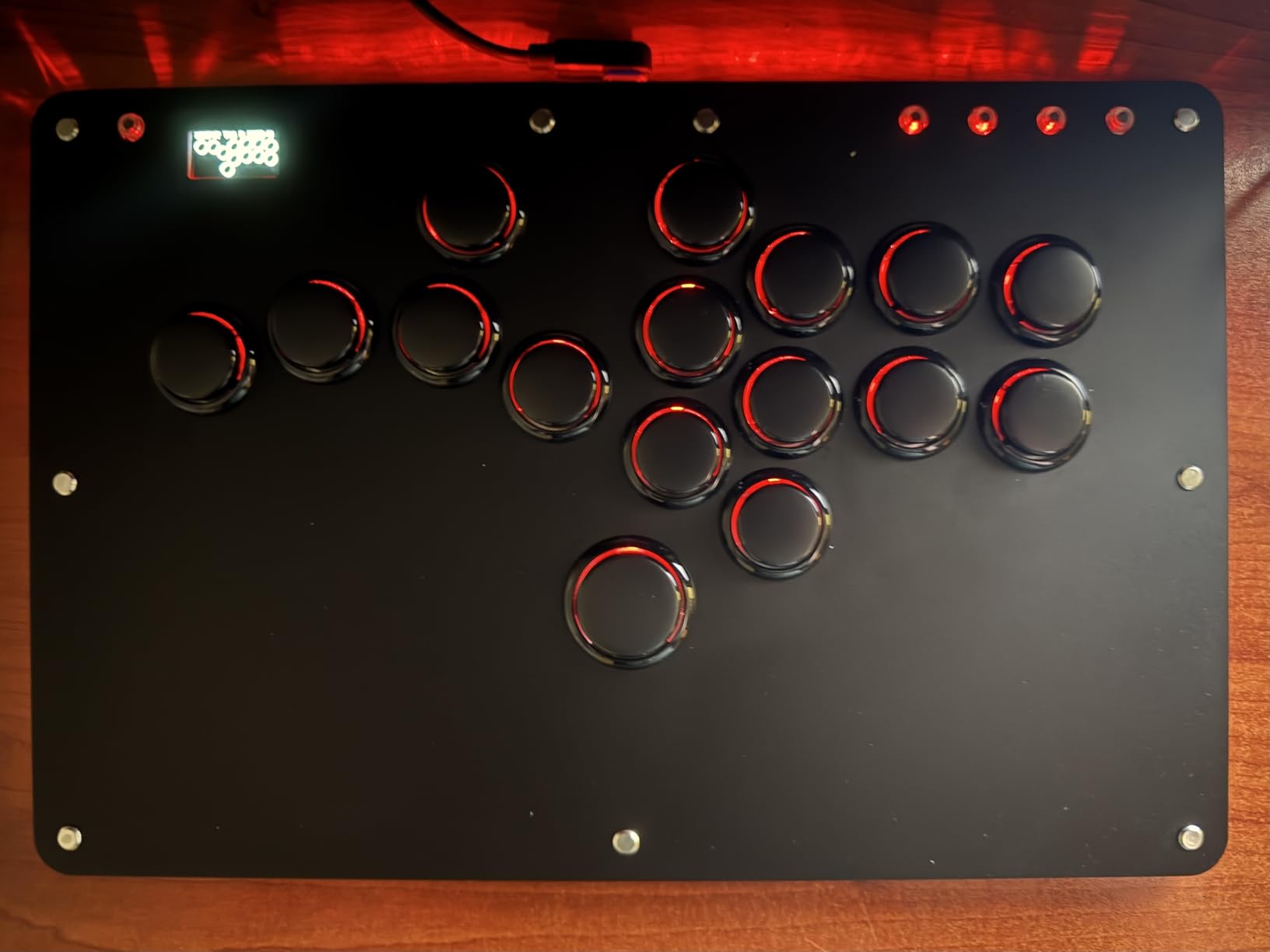
The GP2040-CE firmware delivers the same excellent customization as the T16 Pro V2. Five controller modes, multiple SOCD cleaning options, turbo functions, M1 and M2 macro keys, and the built-in web configurator are all included. Performance matches the T16 in input latency and responsiveness, so you are not sacrificing capability for the slimmer form factor.
The thinness does come with a trade-off in structural rigidity. During particularly intense matches, I could feel a small amount of flex when pressing firmly on the acrylic body. It is not a dealbreaker, but heavier-handed players should be aware of it. The USB-C port also sits somewhat exposed, so handle cabling with care when packing up after sessions.
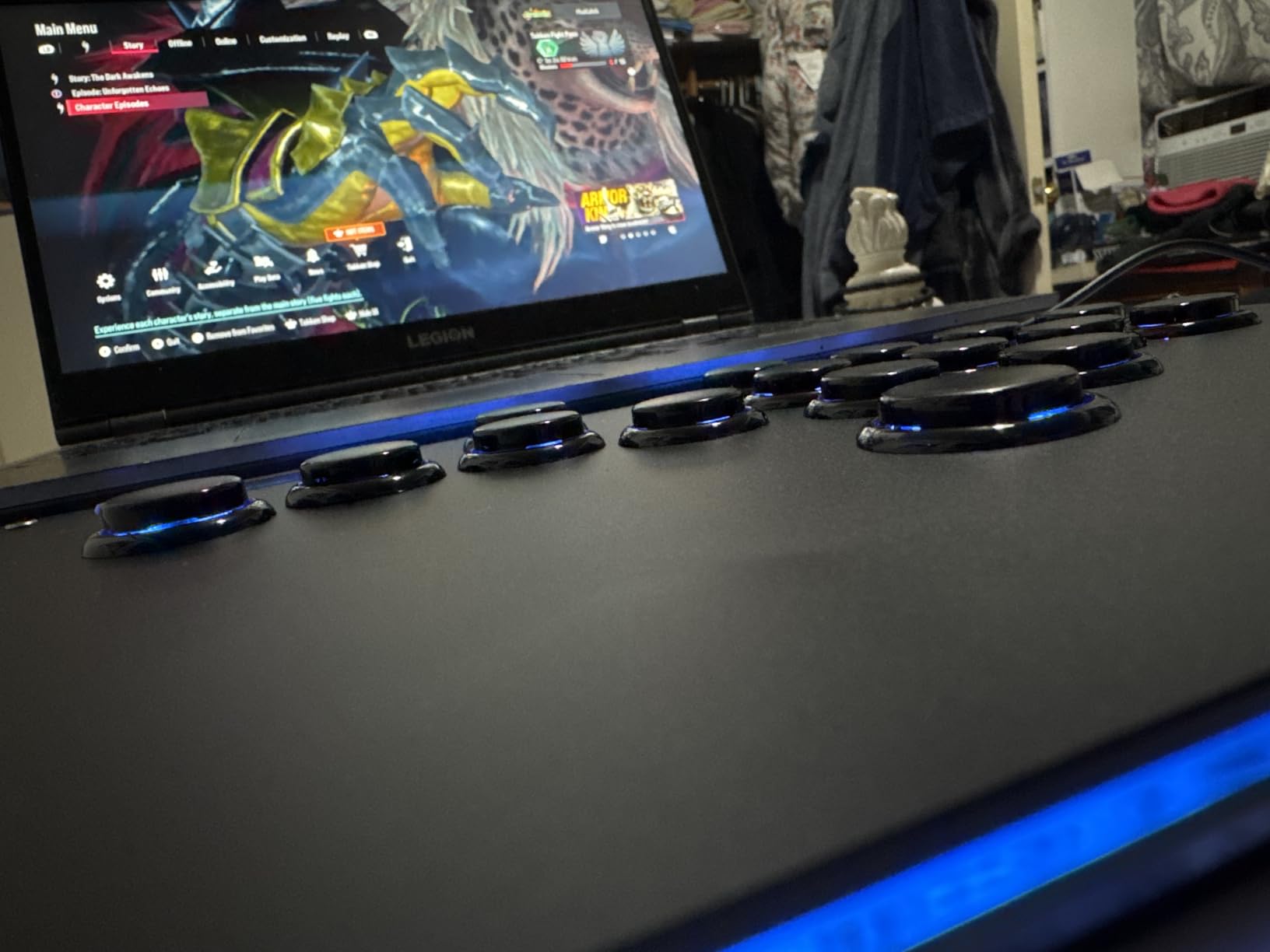
Crystal Acrylic Build and Aesthetics
The transparent acrylic construction creates a genuinely impressive visual effect, especially with RGB lighting engaged in a dark room. Light passes through the body and creates a uniform glow that looks fantastic on stream or at a desk setup. The updated button rim design is an improvement over older Haute42 models, giving each key a cleaner, more defined visual profile.
Acrylic is less durable than aluminum or thick polycarbonate, so this is not the controller I would toss unprotected into a tournament backpack. For desk use and careful transport, it holds up fine. For players who regularly travel to events, a padded case is a smart accessory.
RGB and Visual Customization
The R16 offers 5 backlit modes and 14 color options, which is generous at this price point. You can set static colors per button, cycle through rainbow effects, or create pulsing patterns that match your setup lighting. I prefer a static warm white for focused play, but the options are extensive enough for streamers or players who want their controller to match their aesthetic theme.
The upgraded Type-C interface provides stable connections, and I experienced zero disconnections during testing. The 5 controller modes cover X-input, Switch, PS3, D-input, PS4, and Keyboard, giving you the same platform versatility as the T16 Pro V2 in a slimmer package.
8. 8BitDo N Edition – Best Wireless Leverless for Switch and PC
- Three connectivity modes including Bluetooth
- Ultra thin at 1.6cm and highly portable
- Excellent build quality for the price
- Hot-swappable Kailh switches
- 20-hour battery life for wireless play
- No native PS4 or PS5 support at all
- Movement buttons emulate DPad not joystick
- No Xbox compatibility
- Clicky buttons may be loud for shared spaces
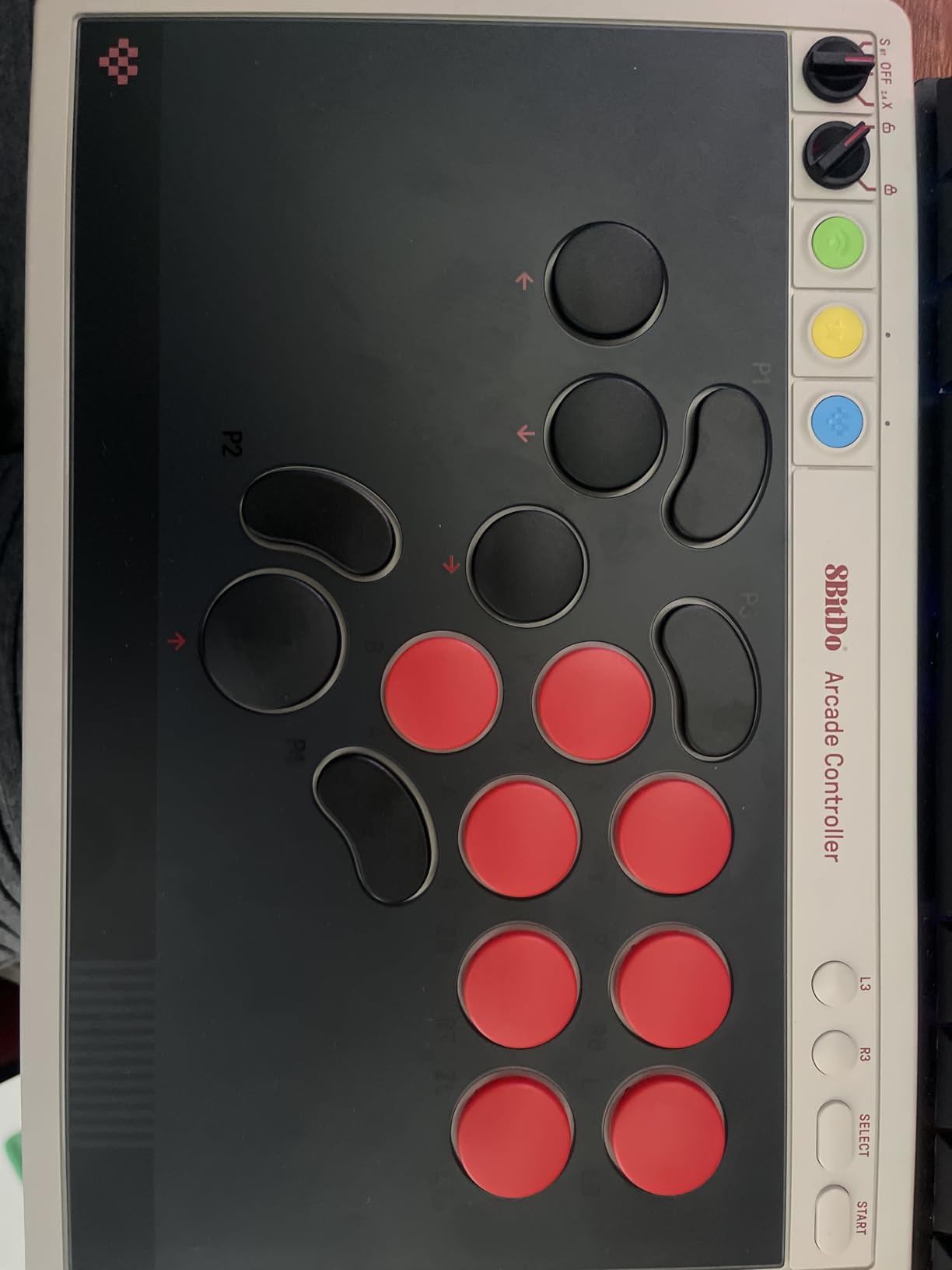
The 8BitDo N Edition is the wireless leverless controller that Switch and PC players have been asking for. With Bluetooth, 2.4G wireless, and wired connectivity all built in, you get three distinct ways to play without buying separate adapters or dongles. I tested all three modes across multiple sessions and found each one reliably responsive for fighting game play.
The ultra-thin design at just 1.6cm makes this one of the flattest controllers in the entire lineup. It fits easily into a laptop bag or backpack for commute to locals or tournaments. Despite the thin profile, the build quality feels solid with no flex or creaking under normal use pressure. The controller sits comfortably on a desk or lap without any rocking or instability.
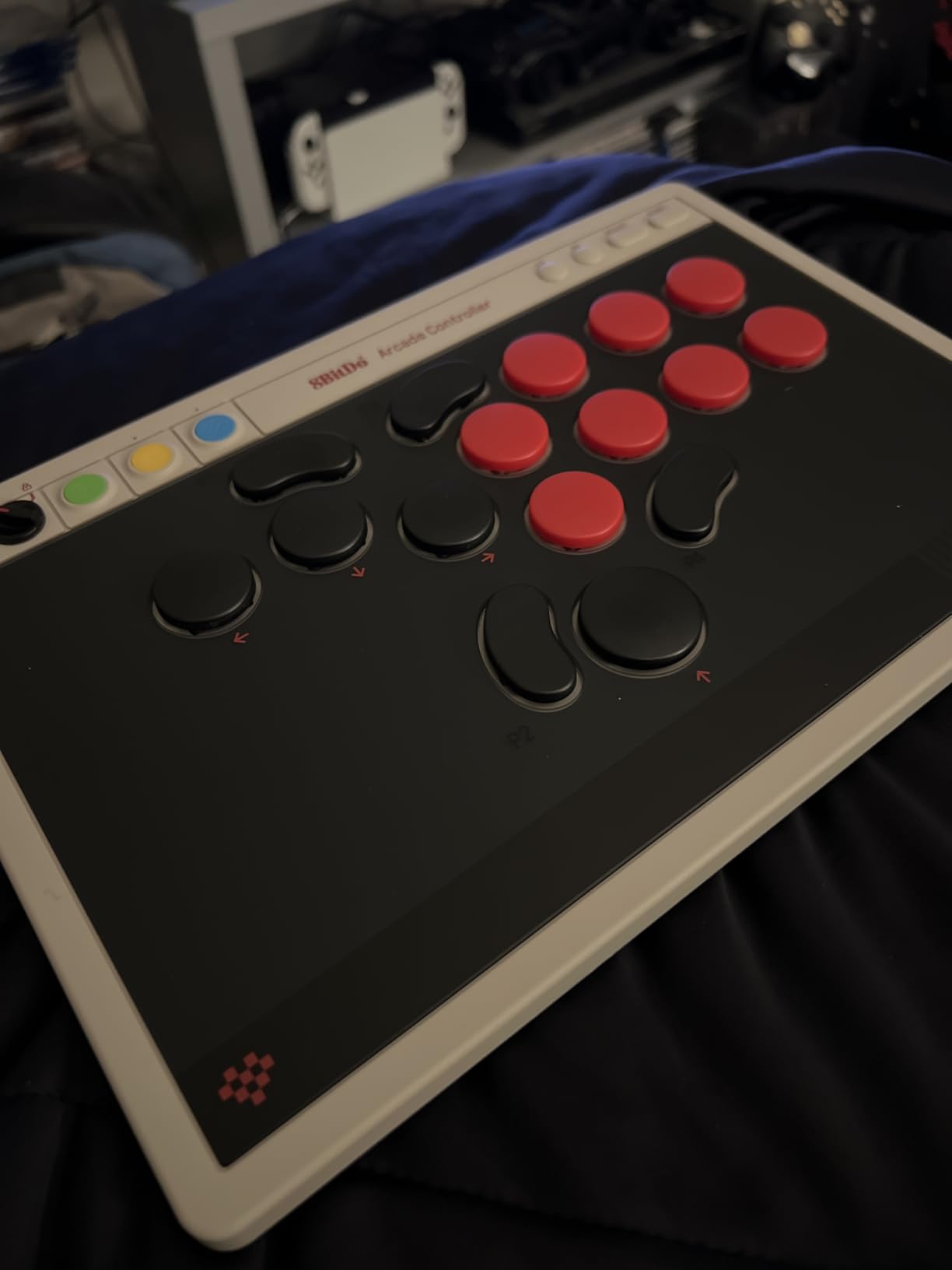
Kailh Wizard low-profile mechanical switches deliver a satisfying clicky feel on every press. They are hot-swappable through the PCB, so you can experiment with different Kailh switch types to find your preferred actuation force and travel distance. The 4 programmable buttons (P1 through P4) give you dedicated slots for custom mappings that you can set per game or per situation.
Battery life is rated at 20 hours, and I got close to that in practice with RGB lighting turned off. With RGB on, expect around 12 to 14 hours. The SOCD cleaning and tournament mode support make this controller viable for competitive play, not just casual rounds at home. For Switch and PC players who want wireless freedom with tournament capability, the N Edition hits a sweet spot.
Wireless Connectivity Options
Each connectivity mode serves a distinct use case well. Bluetooth mode works perfectly for Nintendo Switch and casual PC gaming with simple pairing. 2.4G wireless via the included dongle provides lower latency for competitive sessions where every millisecond matters. Wired mode delivers the absolute lowest latency for tournament environments. I noticed no perceptible difference between 2.4G and wired during actual fighting game matches.
Switching between modes is handled through the independent control panel on the controller itself. No software is needed to change connection types, which is convenient when you are switching between your Switch and your PC between sets at a local tournament.
Switch 2 and PC Gaming Experience
On Nintendo Switch and Switch 2, the N Edition works flawlessly with correct button mapping matching the standard Switch Pro Controller layout. All fighting games I tested recognized inputs correctly without any remapping required. On PC via X-input mode, Steam detected the controller instantly with correct button labels for Street Fighter 6 and Mortal Kombat 1.
One important detail: the movement buttons emulate a DPad rather than a joystick. Most modern fighting games support both input types, but some older titles that only accept joystick inputs for movement may not work as expected. Check your specific game compatibility before committing if you play older or niche fighting game titles.
How to Choose the Right Hitbox-Style Controller for Fighting Games
Picking the right leverless controller comes down to three factors: your platform, your budget, and how much customization you actually need. After testing all 8 controllers in this guide across multiple fighting games, here is what actually matters when making your decision.
Switch Types Explained
The switches underneath each button determine how your inputs feel and respond. There are three main types you will encounter in modern hitbox-style controllers, and understanding the differences helps you pick the right feel for your play style.
Mechanical switches use a physical metal contact to register key presses. Brands like Kailh (Choc, Wizard), Cherry (MX Silver), and Sanwa Denshi fall into this category. They come in linear, tactile, and clicky variants. Linear switches feel smooth and fast throughout the press. Tactile switches provide a bump at the actuation point. Clicky switches offer both a bump and audible feedback. Most leverless fighting game players prefer linear switches for their consistent, fast response.
Optical switches, used exclusively in the Razer Kitsune in this lineup, detect key presses using infrared light beams instead of physical contacts. They have zero debounce delay, which means cleaner signal registration and potentially longer lifespan since there is no metal contact to wear out. The feel is distinctly smooth without tactile feedback, which some players love and others find less satisfying than mechanical alternatives.
Hot-swappable switch sockets are a feature worth prioritizing regardless of which switch type you prefer. Controllers with hot-swap PCBs let you pull out and replace switches without soldering, so you can experiment with different types and replace worn switches easily over time.
SOCD Cleaning: What It Is and Why It Matters
SOCD stands for Simultaneous Opposing Cardinal Directions. In a leverless controller, it is physically possible to press left and right at the same time, or up and down simultaneously. SOCD cleaning is the method your controller uses to resolve these conflicting inputs, and it directly affects how your character behaves in-game.
Different SOCD modes handle conflicts differently. Neutral SOCD returns to neutral when both opposing directions are pressed simultaneously. Last-win SOCD takes whichever direction was pressed most recently. First-win SOCD keeps the first direction pressed and ignores the second input.
Most modern fighting games and tournament organizers specify which SOCD mode is required. Street Fighter 6 tournament rules typically require neutral SOCD for left and right inputs. Controllers running GP2040-CE firmware let you switch between modes easily through the web configurator, while fixed-mode controllers like the Razer Kitsune use a single preset that works for most games but cannot be changed.
Platform Compatibility Checklist
Confirming native platform support before buying saves frustration and additional costs. Here is what to check for each system.
For PS5, look for officially licensed controllers like the Qanba Sapphire S1 or Razer Kitsune. These work without any workarounds or adapters. GP2040-CE controllers can work with PS5 through compatible adapters, but this adds cost and slight latency overhead.
For Xbox, the 8BitDo Xbox Edition is the best wireless option with official licensing. The MAYFLASH F500 FLAT also supports Xbox with a wired authentication controller. Native Xbox support among leverless controllers is rare, so these two options are particularly valuable for Xbox fighting game players.
For Nintendo Switch and Switch 2, the 8BitDo N Edition offers Bluetooth connectivity with official support. GP2040-CE controllers like the Haute42 T16 Pro V2, R16, and GuileKeys GK-18 also work in Switch mode without issues.
For PC, virtually every controller in this roundup works via X-input mode. PC players have the most flexibility since most leverless controllers default to PC compatibility out of the box.
Tournament Legality Considerations
If you plan to compete at in-person events, tournament legality matters. Major organizers like EVO and CEO generally allow leverless controllers, but specific rules vary by game and event.
Key requirements typically include SOCD cleaning that complies with game-specific rules, turbo and macro functions disabled during competitive matches, and a tournament lock switch that disables start and select buttons to prevent accidental pauses. Controllers with GP2040-CE firmware have been approved at major events worldwide, but always verify specific tournament rules before attending.
Learning Curve: From Pad or Stick to Hitbox
The transition from a standard gamepad or arcade stick to a leverless controller takes patience and practice. Most players report a 2 to 4 week adjustment period before their execution matches their previous level. Motions like quarter-circles and dragon punches feel fundamentally different when you are pressing individual buttons instead of moving a physical stick.
Community members on r/fightsticks consistently report that the improvement after the adjustment period makes the effort worthwhile. Charge characters benefit particularly because holding a back button is much easier and more consistent than holding a stick in a back position. Motion characters take longer to feel natural but can become faster once your fingers learn the patterns.
I recommend starting with a budget-friendly option like the Haute42 T16 Pro V2 or GuileKeys GK-18 to test whether the leverless format suits your play style before investing in a premium controller. Most players who commit for a full month end up preferring the leverless layout and never return to pad or stick.
Frequently Asked Questions
What is a hitbox controller in fighting games?
A hitbox controller (also called a leverless or all-button controller) is a fighting game input device that replaces the traditional joystick with four individual buttons for directional inputs: up, down, left, and right. Action buttons for attacks are arranged alongside the directional buttons. This design allows for faster, more precise inputs compared to moving a physical lever, and it eliminates stick drift entirely.
What is the best hitbox controller?
The best hitbox controller depends on your platform and budget. For PS5 players, the Razer Kitsune and Qanba Sapphire S1 both offer official licensing with premium switch quality. For Xbox and PC players, the 8BitDo Xbox Edition provides wireless play at strong value. Budget buyers should consider the Haute42 T16 Pro V2 or GuileKeys GK-18, both offering GP2040-CE customization at the lowest prices in this guide.
Is hitbox better than arcade stick?
Neither is objectively better. Hitbox controllers offer faster directional inputs and eliminate stick drift, making them popular for charge characters and players focused on precise execution. Arcade sticks provide a traditional arcade feel and may feel more intuitive for circular motions. Many professional players compete with both types. The best choice depends on your play style and which feels comfortable after the 2 to 4 week learning period.
What controller has 0 stick drift?
All leverless (hitbox-style) controllers have zero stick drift because they do not use joysticks or analog sticks. Directional inputs are handled entirely by digital buttons, which cannot drift. Every controller in this guide uses button-based directional input, so any of them will eliminate the stick drift issues common with standard gamepads.
Are hitbox controllers tournament legal?
Yes, hitbox controllers are generally allowed at major fighting game tournaments including EVO. However, specific rules vary by organizer and game. Most tournaments require SOCD cleaning to be enabled and compliant with game-specific rules, turbo and macro functions disabled during matches, and a tournament lock to prevent accidental pauses. Always check the specific tournament rules before competing with any controller.
Final Thoughts on Hitbox-Style Controllers for 2026
Finding the right hitbox-style controller for fighting games comes down to matching your platform, budget, and play style to the controller that fits best. The Razer Kitsune stands out for PS5 players who want the most refined out-of-box experience with optical switches and premium build quality. The Haute42 T16 Pro V2 delivers unmatched value with GP2040-CE customization at the lowest price in the guide. And the GuileKeys GK-18 offers 18 programmable keys for budget players who want extra macro capability without paying extra.
After testing all 8 controllers across Street Fighter 6, Tekken 8, and Guilty Gear Strive, I can confidently say the leverless format delivers on its promises. The precision, consistency, and complete elimination of stick drift make a measurable difference in competitive play. Pick the controller that matches your platform, give yourself a few weeks to adjust to the button layout, and you will likely find yourself wondering why you waited this long to make the switch.